Afternoon Paws Food Unlocks: All Four Foods Explained
Learn Afternoon Paws food unlocks by chapter, upgrade your food bowl, manage shared menus, and earn Heart Tickets from creamy treats and canned food eaten.
Jump to
How to Unlock Every Food in Afternoon Paws
Afternoon Paws food unlocks turn mealtime into a way to support your café’s income, help your cats grow, and earn Heart Tickets. Complete Chapters 3, 4, 5, and 6 to unlock kibble, catnip, creamy treats, and canned food, respectively. Planning around Afternoon Paws food unlocks helps you connect story progress with feeding, bowl upgrades, and rewards earned through actual consumption.
The food progression follows a straightforward chapter order:
| Food | Unlock requirement | Heart Ticket consumption reward |
|---|---|---|
| Kibble | Complete Chapter 3 | — |
| Catnip | Complete Chapter 4 | — |
| Creamy treats | Complete Chapter 5 | One ticket per 350 consumed |
| Canned food | Complete Chapter 6 | One ticket per 50 cans consumed |
These requirements refer to completing each chapter. Reaching the beginning of Chapter 5, for example, is different from finishing it and unlocking creamy treats.
The main story contains nine chapters, so the four food unlocks sit within a longer café progression. Your food collection reaches canned food after Chapter 6, while additional story chapters remain ahead.
Keep story progress on your checklist when a particular food is your goal. Buying facility upgrades, collecting cats, and completing requests are other parts of café life, but the named food unlock requirements are the chapter completions above.
For Afternoon Paws food unlocks, keep these two actions separate: unlock the food through the story, then restock it with coins. An unlocked menu option still needs available stock before your cats can eat it.
Official page: Afternoon Paws (store.steampowered.com)
Set Up Your Food Bowl and Menus
Your feeding setup starts with buying a food bowl. The bowl has five upgrade levels, and its upgrades extend each cat’s mealtime interval from 15 to 30 minutes.
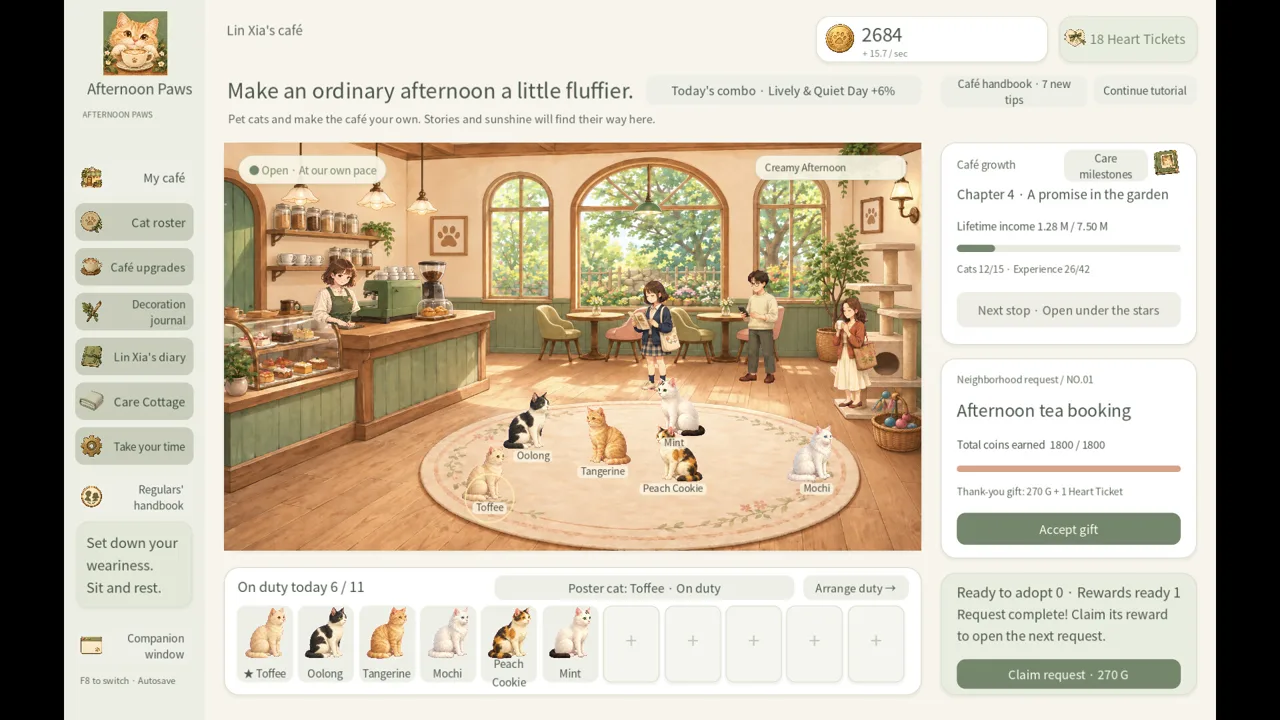 Image: Steam / Leon Studio
That interval describes the time between meals. Keep it separate from a food’s temporary bonus: extending the feeding interval does not give you a stated bonus duration.
| Feeding feature | How it works |
|---|---|
| Food bowl | Purchased for your feeding setup |
| Bowl upgrades | Five levels |
| Mealtime interval | Extends from 15 to 30 minutes through upgrades |
| Restocking | Uses coins |
| Individual menus | Choose food for each cat |
| Shared menu setting | Set a menu for everyone |
Afternoon Paws food unlocks give you more menu choices, while bowl upgrades change feeding timing. Track both as you develop the café, because they serve different purposes.
Choose Individual or Shared Menus
Use the shared setting when you want everyone assigned the same menu. It gives you a straightforward way to organize feeding without choosing separately for each cat.
Choose individual menus when you want different cats assigned different foods. This is useful for keeping your selections deliberate as new options become available.
After unlocking a food, review your menu choices before spending coins on additional stock. Match purchases to the foods you intend to serve, especially when you are also saving for facilities or other café improvements.
The game eventually lets you collect 24 cats. As your collection expands, revisit feeding alongside your other care routines rather than assuming the menu you chose early on still matches your current plans.
Keep Bowl Progress Separate From Food Progress
Use a simple checklist:
- Complete the required chapter for the food you want.
- Buy the food bowl and review its upgrades.
- Restock the selected food with coins.
- Choose individual menus or apply one menu to everyone.
Treat each as a distinct task. Chapter completion opens the food option; bowl upgrades extend the mealtime interval; purchasing stock supplies meals.
Understand Food Bonuses and Empty Stock
Food provides temporary income and growth bonuses when cats eat it. The important trigger is consumption: unlocking a food or purchasing stock is different from a cat actually having a meal.
 Image: Steam / Leon Studio
Afternoon Paws food unlocks therefore add another layer to café management. You are balancing story access, coin spending, menu selection, and the bonuses meals provide.
Your café also has several other growth systems. Cats on duty generate coins, and cat growth, the poster cat, facility upgrades, and story progress all contribute to developing the business. Every cat begins with the same base income, leaving room to raise favorites and explore rotating personality combination bonuses.
Avoid assigning food a larger role than it has. Meals support your café through temporary benefits, while the rest of your progression continues to matter.
What Happens When Food Runs Out?
Empty food stock pauses food bonuses, but base income remains unaffected.
That makes a stock shortage manageable. You lose the meal-related benefits until food is available again, while your underlying café income continues.
Check stock when you return to the game, then decide how much of your coin balance to put toward restocking. Keep your next facility purchase or other planned upgrade in mind before spending everything on food.
Use the distinction between base earnings and temporary bonuses to make calmer spending decisions. An empty supply does not require abandoning your broader café plans.
How Offline Feeding Works
Offline meals are calculated within the game’s offline time limit and the stock available. Both conditions matter: time away does not create an unlimited supply of meals.
Restock your chosen foods before stepping away if you want stock available for offline consumption. When you return, review supplies alongside your offline earnings.
Keep offline income and feeding in the same return routine, but remember their separate limits. Offline earnings have a time cap, and offline meals also depend on available food.
Earn Heart Tickets From Creamy Treats and Canned Food
The later Afternoon Paws food unlocks introduce a reward tied to how much food is eaten. Creamy treats and canned food each have their own consumption counter.
 Image: Steam / Leon Studio
You earn one Heart Ticket for every 350 creamy treats consumed, or every 50 cans consumed.
| Food | Consumption required for one Heart Ticket | Counter behavior |
|---|---|---|
| Creamy treats | 350 creamy treats | Tracked separately from canned food |
| Canned food | 50 cans | Tracked separately from creamy treats |
Buying food does not satisfy an eating requirement. Keep the distinction clear when checking your progress: stock represents meals available, while consumption represents meals already eaten.
The two counters also stay separate. Creamy treats do not fill the canned-food counter, and cans do not fill the creamy-treat counter.
For a straightforward example, consuming 700 creamy treats meets the creamy-treat requirement twice. Consuming 100 cans meets the canned-food requirement twice. Together, those amounts account for four Heart Tickets through the two separate counters.
Canned food requires fewer consumed units per ticket. Keep that numerical difference separate from your spending decisions: a consumption threshold alone is not a coin-cost comparison.
Put Heart Tickets Toward a Specific Goal
Heart Tickets support several activities beyond feeding:
- Purchase a two-cat interaction gift that produces a friendly encounter.
- Invite a rare guest you have already encountered naturally.
- Rent a themed photo backdrop.
- Upgrade grooming equipment using coins or Heart Tickets.
Choose a reward you want before concentrating on ticket accumulation. That gives your feeding routine a concrete purpose, whether you want another friendly cat encounter or a keepsake featuring a returning guest.
Rare-guest invitations have a prerequisite: you must have met that guest naturally already. Keep exploring the guest system alongside your food progression.
Photo backdrop rentals last 24 hours and do not renew automatically. Keepsake cards remain in your album afterward and can be exported as PNG images, so the rental period and the resulting keepsakes have different lifespans.
Build a Feeding Routine Around Your Next Unlock
Manage Afternoon Paws food unlocks with a short routine that connects your next chapter goal to your current supplies. Keep the process focused enough that feeding fits comfortably alongside guests, commissions, and cat care.
Before Your Next Story Milestone
Identify the food you are working toward. Kibble follows Chapter 3, catnip follows Chapter 4, creamy treats follow Chapter 5, and canned food follows Chapter 6.
Review your coin balance and existing supplies while pursuing that chapter. Continue using the food options you already have rather than treating the next unlock as a reason to ignore your current setup.
After Completing the Chapter
Review the newly unlocked food, decide which menu selections you want, and restock accordingly. Check bowl upgrades separately if you also want to extend the interval between meals.
For creamy treats and canned food, remember that ticket progress comes afterward through eating. Completing the chapter opens access to the food; it does not replace the consumption requirement.
| Situation | What to check or do |
|---|---|
| You want kibble | Complete Chapter 3 |
| You want catnip | Complete Chapter 4 |
| You want creamy treats | Complete Chapter 5 |
| You want canned food | Complete Chapter 6 |
| Food stock is empty | Restock with coins to resume food bonuses |
| You are tracking Heart Tickets | Count food consumed rather than stock purchased |
| You are preparing for time away | Review menus and available stock |
When You Return to the Café
Collect your available offline earnings, inspect food supplies, and review your next purchase. Then return to the activities that support your current goal, such as story progress, requests, facility upgrades, or spending time with your cats.
Keep Afternoon Paws food unlocks tied to that broader routine. Chapter completion expands your choices, bowl upgrades adjust meal timing, and stocked menus let cats receive food bonuses. Once creamy treats and canned food enter the picture, consumption also contributes toward Heart Tickets.
FAQ
How do Afternoon Paws food unlocks work?
Complete Chapter 3 for kibble, Chapter 4 for catnip, Chapter 5 for creamy treats, and Chapter 6 for canned food. Restock unlocked foods with coins and choose menus individually or for everyone.
Does running out of food stop café income?
No. Empty stock pauses food bonuses, while base income remains unaffected. Restock food to make meals and their temporary bonuses available again.
How much food earns a Heart Ticket?
Every 350 creamy treats consumed earns one Heart Ticket. Every 50 cans consumed also earns one ticket. The counters are separate, and purchasing stock does not count as consuming it.
Do cats eat while you are offline?
Yes. Offline meals are calculated within the offline time limit and available food stock. Review supplies before leaving, then check them again when you return.
Continue with
 Afternoon Paws Photo Keepsakes: Backdrops & PNG GuideCreate Afternoon Paws photo keepsakes with cats and invited guests. Learn how Heart Tickets, 24-hour backdrops, album storage, and PNG exports all work.
More in Items
See all ItemsPopular pages
Afternoon Paws Achievements: Your 100% Completion Guide
Track Afternoon Paws achievements with key unlock goals for cats, grooming, guests, and stories. Plan your route to all 100 achievements in a single save.
Afternoon Paws Cat Personalities: Roster & Bond Guide
Explore Afternoon Paws cat personalities, build daily bonus rosters, grow bonds, and guide cat friendships across your cozy café's 24 feline companions.
Afternoon Paws Dressing Cats: Accessories and Care Guide
Afternoon Paws dressing cats guide: learn accessory achievement goals, plan three matching looks, and fit grooming, bonds, and photos into a café routine.
Afternoon Paws Release Date Countdown: Out Now on PC
The Afternoon Paws release date countdown is over. Explore the October 19 launch, Windows requirements, cat café features, and tips for your opening day.
Join the community
Official channels for news, updates and player help: