
Coming soon · Release date: October 11, 2026 · Info based on official announcements Sources ↗
UpdatedAfternoon Paws FAQ: Release Date, Platforms, and Specs
Afternoon Paws FAQ covers the planned release date, Windows requirements, Steam store page, and advertised features. See what to know before launch day.
Jump to
When Is Afternoon Paws Scheduled to Release?
A cozy cat café is on the calendar—but when can you actually start playing? This Afternoon Paws FAQ covers the planned release, supported platform, and computer requirements so you can prepare before launch. Keep this Afternoon Paws FAQ handy for the details that matter, including the Steam listing and what remains unannounced.
Afternoon Paws is scheduled to release on October 11, 2026. Its Steam listing currently identifies it as an upcoming game. Treat that date as the announced release target, rather than proof that the game is already available.
The distinction matters if you are planning around launch day. A calendar date does not establish an exact unlock hour, and the available release information does not give a launch time or time zone. There is no supported basis for a countdown measured in hours or minutes.
| Release detail | Announced information |
|---|---|
| Scheduled release date | October 11, 2026 |
| Current release status | Upcoming; unreleased |
| Exact launch hour | Not announced in the available release details |
| Launch time zone | Not specified |
| Developer | Leon Studio |
| Publisher | Leon Studio |
The practical answer is to mark the scheduled date and check the store for availability when it arrives. If you want to arrange a play session, leave the timing flexible until an exact unlock time appears.
This Afternoon Paws FAQ describes a game before release. Its feature descriptions explain what is advertised; they do not establish launch performance, a completed review, or how every system will work in practice. That keeps the release information useful without treating a store description as a tested experience.
Platforms, Steam Wishlisting, and Demo Availability
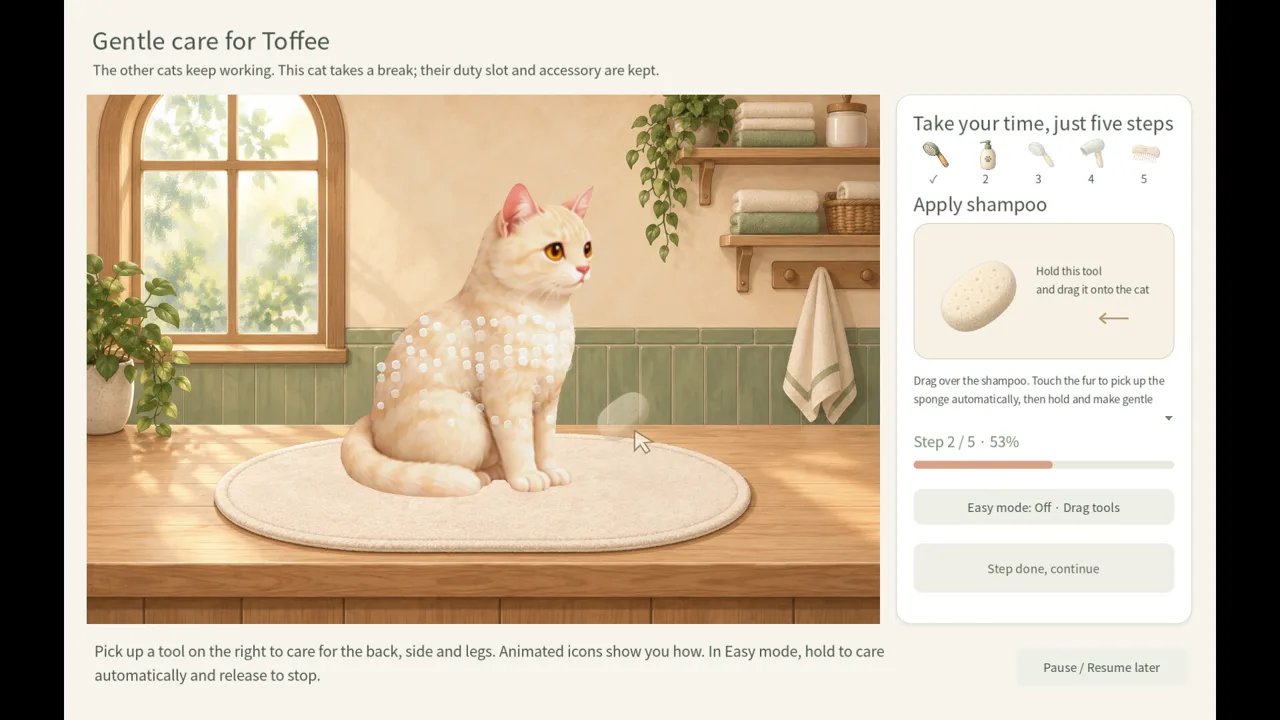 Image: Steam / Leon Studio
Windows is the listed platform for Afternoon Paws. The Steam platform information does not list macOS or Linux support. Console versions are not announced in the available release details.
For players deciding where to follow the game, Steam is the clear destination. You can view the Afternoon Paws Steam store page for its release and platform details. The listing identifies the game as upcoming and provides its scheduled release date.
| Platform or access option | Current information |
|---|---|
| Windows | Listed as supported |
| macOS | Not listed as supported |
| Linux | Not listed as supported |
| Console release | Not announced in the available release details |
| Steam wishlist | Check the store page for current availability |
| Preorder or preregistration offer | None shown |
| Demo | None listed |
If you opened this Afternoon Paws FAQ hoping for a demo download, no demo is listed in the available Steam information. That is a statement about the current listing, rather than a promise that a demo could never appear.
The same care applies to preorders and pricing. No preorder or preregistration offer is shown, and the available details do not establish a purchase price. A good approach is to check the store for any purchase options when the scheduled release date arrives.
A good approach is to use the Steam page as your launch checkpoint: review the scheduled release date, check the platform information, and revisit the listing before purchasing. For a Mac or Linux computer, there is no advertised native version to plan around.
Windows support also does not answer every device question. The available information provides no Steam Deck verification status or controller-support announcement. Those details need their own confirmation; they cannot be inferred from the game’s relaxed pace or small companion window.
What Are the Afternoon Paws PC Requirements?
The minimum requirements specify a 64-bit Windows computer, 4 GB of RAM, and 2 GB of available storage. The processor must support SSE4.2, while the graphics hardware and installed drivers must support OpenGL 3.3.
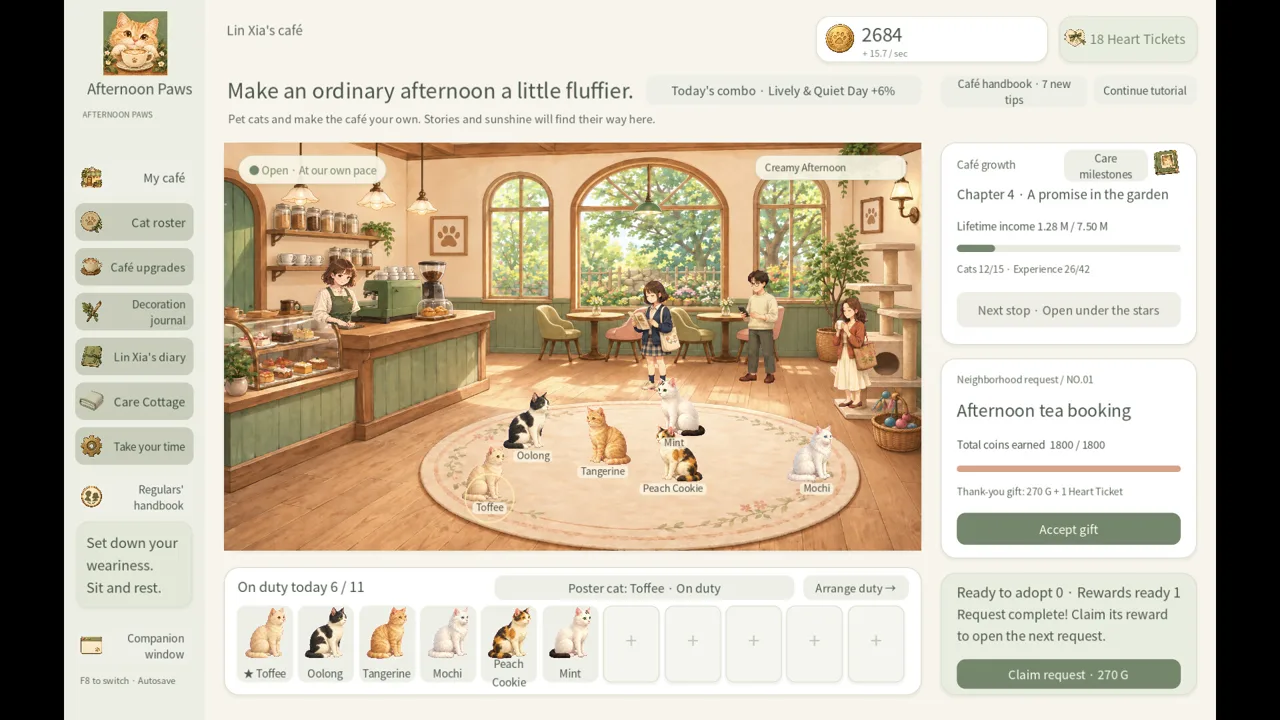 Image: Steam / Leon Studio
Here is the hardware information relevant to this Afternoon Paws FAQ:
| Component | Published minimum requirement |
|---|---|
| Operating system | Windows 10 or Windows 11, 64-bit |
| Processor | Dual-core x64 processor with SSE4.2 support |
| Memory | 4 GB RAM |
| Graphics | OpenGL 3.3-compatible graphics card with compatible drivers installed |
| Storage | 2 GB available space |
| Audio | Windows-compatible audio device |
| Input | Mouse and keyboard required in the requirement notes |
| Display | Resolution of 1280 × 800 or higher recommended |
These requirements describe compatibility targets. They do not include frame-rate estimates, named graphics-card benchmarks, or a performance comparison between different PCs.
Before release, a useful check is to compare each item with your computer’s specifications. Pay particular attention to the processor instruction requirement and graphics API support. Having enough RAM and storage alone does not address the complete minimum specification.
The graphics entry includes compatible drivers, so driver support belongs in that check alongside the hardware itself. The listing does not name a particular GPU model, which makes OpenGL compatibility the relevant stated requirement.
The recommended-requirements field only repeats the need for a 64-bit processor and operating system. It does not provide a separate recommended CPU, GPU, or RAM target. There is therefore no supported higher specification to present as the ideal setup.
There is also a distinction between the input notes and the store’s feature labels. Steam lists a mouse-only option, while the minimum-requirement notes say a mouse and keyboard are required. Both details appear in the listing; the feature label should not be used to erase the requirement notes.
If input flexibility is important to you, review both entries before buying. The advertised mouse-only option is useful information, but it does not establish controller compatibility or explain the full scope of keyboard use.
What Do the Trailer and Screenshots Show About the Game?
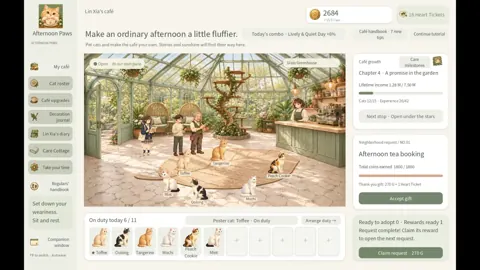
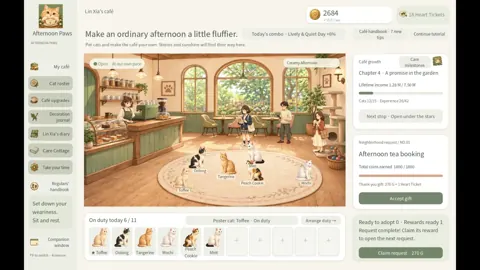
The Steam page includes a video titled “Afternoon Paws — Gameplay Trailer” and nine screenshots. These are the available visual previews to browse before release.
 Image: Steam / Leon Studio
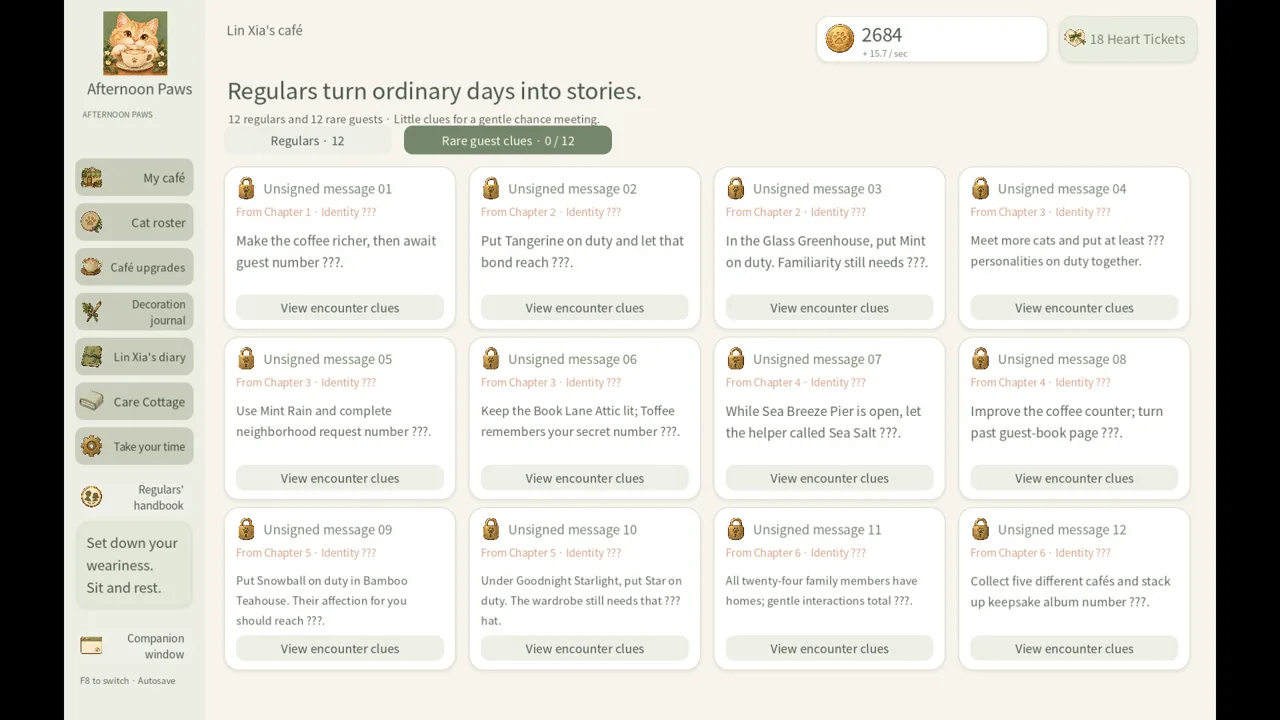
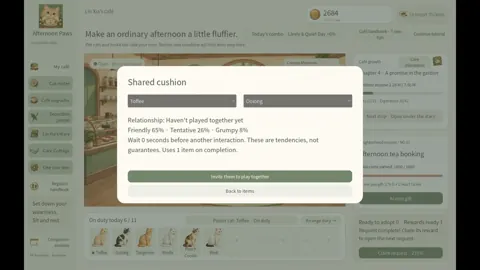
For readers using this Afternoon Paws FAQ to decide whether the concept appeals to them, the advertised premise is straightforward: you join café owner Lin Xia in a small shop with two cats and develop a cozy idle cat café.
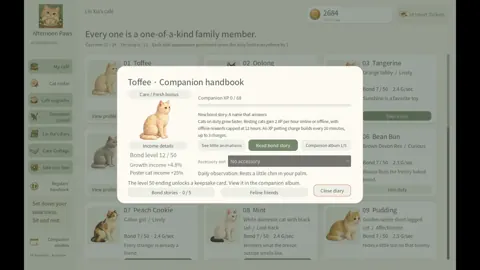
The description combines café management, feline companionship, and story content. Cats can be assigned café duties, while the advertised activities include caring for them, choosing accessories, and watching relationships develop. These are planned features described on the store page, rather than hands-on findings.
| Advertised feature | Listed scope |
|---|---|
| Cat collection | 24 cats with distinct personalities |
| Main story | Nine chapters following Lin Xia and the café |
| Café appearances | Five styles with distinct layouts |
| Guest collection | 12 regular guests and 12 rare guests |
| Companion display | A small, always-on-top window |
| Photo keepsakes | Album cards that can be exported as PNG images |
The five café settings cover the original café plus greenhouse, book-filled, seaside, and bamboo-themed spaces. Their different layouts give you concrete visual themes to look for while browsing the preview images.
The companion window is another feature worth noticing before purchase. It is advertised as a smaller, always-on-top display for keeping the cats nearby while you do something else. The available description does not provide measured resource usage or establish how that window behaves with every desktop application.
Photo keepsakes add a separate creative element. The advertised album system preserves cards, and PNG export gives those images a format you can save outside the game. That is a specific announced feature, though the listing does not detail every export setting.
A useful way to browse the previews is to consider what you want from the presentation: the café settings, the cats, the story illustrations, or the smaller companion display. The trailer and screenshots can help you assess the advertised visual direction. They do not settle questions about long-term pacing, technical stability, or the final launch build.
Studio Credits, Languages, and Listed Steam Features
Leon Studio is both the developer and publisher of Afternoon Paws. The store categorizes the game as an indie simulation and lists it as single-player.
For anyone checking this Afternoon Paws FAQ for localization information, the supported-language list includes:
- English
- French
- Spanish — Spain
- Russian
- Japanese
- Simplified Chinese
- Korean
The Spanish entry specifically names Spain. The available language information does not separately explain interface, subtitle, and spoken-audio coverage, so it would be premature to promise full voice acting in those languages.
Steam Achievements, Steam Cloud, and Family Sharing are also listed. The achievement entry establishes that achievements are advertised, but there is no achievement count or complete objective list in the available details.
Steam Cloud is relevant if you care about saves across supported installations. However, the listing alone does not explain synchronization behavior or offer detailed instructions for resolving save conflicts. Family Sharing is similarly a listed feature, without additional account-specific details here.
The store also advertises custom volume controls, a mouse-only option, saving anytime, and play without timed input. These entries suggest flexibility in how players can approach the game, while leaving the precise implementation to be seen at release.
For a purchase decision, focus on the features you actually need. If language coverage, input options, or save support is essential, review the corresponding store entries again when the game becomes available. There is no need to assume that a broad feature label answers every specific question.
FAQ
What is the release date listed in this Afternoon Paws FAQ?
Afternoon Paws is scheduled for October 11, 2026. It remains listed as upcoming in the available release information. No exact launch hour or time zone is announced, so the date should not be converted into a precise unlock countdown.
Can I play Afternoon Paws on Mac, Linux, or consoles?
Windows is the listed platform. macOS and Linux are not listed as supported, and the available release details do not announce console versions. Steam Deck verification and controller support are also unspecified. Plan around the advertised Windows version until additional platform information appears.
Is there an Afternoon Paws demo or preorder?
No demo, preorder, or preregistration offer is shown in the available Steam information. The game is listed as upcoming on Steam. Its purchase price is not established by these release details, so check the store for any announced price or access options before launch.
Does Afternoon Paws include multiplayer?
The Steam listing identifies Afternoon Paws as single-player. Its advertised focus is managing a cat café, collecting cats, following stories, and creating keepsakes. No cooperative or competitive multiplayer mode is announced in the available release information.
Continue with
 Afternoon Paws platforms and wishlist: PC Release GuideAfternoon Paws platforms and wishlist details: check Windows support, PC requirements, the planned release date, and how to follow this game on Steam.
More in Release hub
Afternoon Paws developer and publisher: Leon Studio
Afternoon Paws developer and publisher Leon Studio plans an October 11, 2026 Steam release for Windows. Explore studio credits, PC requirements, and media.

Afternoon Paws release date countdown: Launch Guide
Afternoon Paws release date countdown: check the October 11, 2026 Steam date, Windows requirements, and wishlist details before the cozy cat café opens.
Afternoon Paws system requirements: PC Specs Guide
Check Afternoon Paws system requirements, including Windows support, RAM, graphics, and storage, and see what to verify before its planned Steam release.
Afternoon Paws trailer and screenshots: Launch Guide
Explore Afternoon Paws trailer and screenshots, view the Steam gallery, and check the planned release date, Windows requirements, and wishlist details.
Join the community
Official channels for news, updates and player help: