
Coming soon · Release date: October 11, 2026 · Info based on official announcements Sources ↗
UpdatedAfternoon Paws system requirements: PC Specs Guide
Check Afternoon Paws system requirements, including Windows support, RAM, graphics, and storage, and see what to verify before its planned Steam release.
Jump to
Afternoon Paws System Requirements at a Glance
A cat café on your desktop sounds inviting, but checking the Afternoon Paws system requirements comes before choosing your feline company. The published specifications matter because compatibility depends on your processor’s instruction support and graphics drivers, alongside familiar numbers like RAM and storage. This guide breaks down the Afternoon Paws system requirements so you can compare your computer with the announced minimums before the planned release.
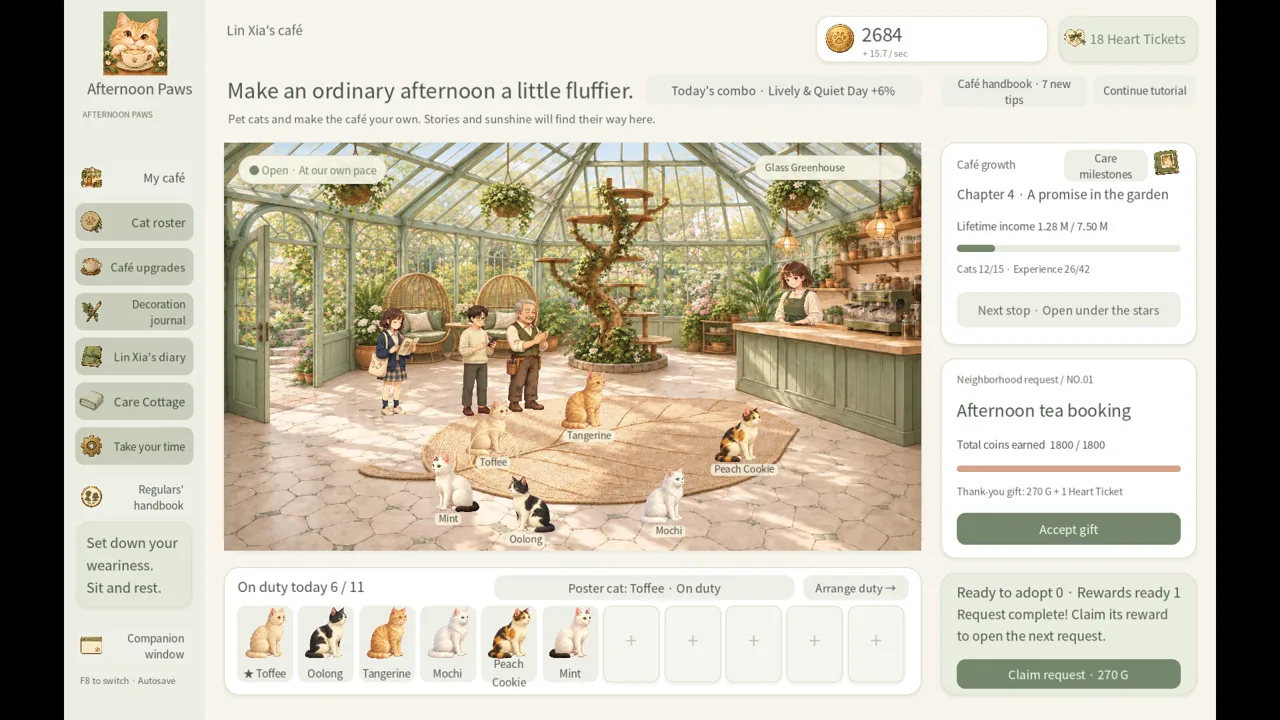
Afternoon Paws is an upcoming single-player café simulation developed and published by Leon Studio. Its advertised features include 24 cats, five café styles, nine story chapters, and a small companion window that stays above other windows. Those features describe the planned game; they do not establish how well it will perform on a particular computer.
The published minimum specifications are:
| Component | Listed minimum requirement |
|---|---|
| Operating system | Windows 10 or Windows 11, 64-bit |
| Processor | Dual-core x64 CPU supporting SSE4.2 |
| Memory | 4 GB RAM |
| Graphics | OpenGL 3.3-compatible graphics hardware with compatible drivers installed |
| Storage | 2 GB of available space |
| Audio | Windows-compatible audio device |
| Input | Mouse and keyboard required |
| Display | Resolution of 1280 × 800 or higher recommended |
Both the processor and operating system must be 64-bit. The display resolution is presented as a recommendation in the additional notes, rather than a separate minimum graphics specification.
These requirements provide a compatibility checklist, but they do not promise a particular frame rate, loading time, or performance level. No benchmark results accompany the listing.
A good approach is to compare every row with your computer before deciding whether it meets the minimums. Matching the memory and storage figures alone leaves the processor, graphics API, and operating system checks unfinished.
Understand the CPU and Graphics Requirements
The less familiar parts of the Afternoon Paws system requirements are SSE4.2 and OpenGL 3.3. These describe specific capabilities your hardware and software need to provide. They are worth checking individually, especially if you plan to use an older desktop or laptop.
 Image: Steam / Leon Studio
What the processor specification means
The CPU requirement contains three distinct conditions: a dual-core processor, x64 support, and SSE4.2 support. A processor comparison therefore needs more detail than a product family name.
“Dual-core” describes the required core count. “x64” identifies the 64-bit processor architecture. SSE4.2 is an instruction set extension that the listed processor must support.
Leon Studio has not named a minimum Intel or AMD model, and the listing does not specify a clock speed. Avoid treating an arbitrary processor model or GHz figure as an official cutoff.
For your own compatibility check:
- Find the full model name of your processor.
- Check its manufacturer specifications for x64 and SSE4.2 support.
- Confirm that your installed Windows version is 64-bit.
Those checks follow directly from the published requirements. They do not establish that one qualifying processor will deliver the same performance as another.
What OpenGL 3.3 means for your graphics hardware
The graphics requirement specifies OpenGL 3.3 compatibility and compatible installed drivers. It does not identify a particular GPU model, graphics memory capacity, or dedicated graphics card requirement.
That makes the driver part of the specification especially relevant. Your graphics hardware and the installed driver need to provide the required OpenGL support together.
A good approach is to identify your GPU, check its documented OpenGL capabilities, and use a compatible driver from the computer or graphics hardware manufacturer. A statement about DirectX support alone does not answer the separate OpenGL requirement.
The listing leaves several common buying questions unanswered:
- It gives no minimum VRAM figure.
- It names no NVIDIA, AMD, or Intel graphics model.
- It provides no resolution-specific performance target.
- It includes no published comparison between integrated and dedicated graphics.
You therefore do not need to assume that a dedicated GPU is mandatory. Equally, you should not assume that every integrated GPU qualifies. The useful question is whether your specific graphics hardware and driver support the listed API.
Keep compatibility separate from performance
A computer can match a published specification without giving you enough information to predict its exact performance. Afternoon Paws has no stated frame-rate target attached to its minimum requirements.
Treat the specifications as the announced baseline. Claims about smooth performance at a particular resolution, low resource usage, or ideal settings would need evidence beyond the current listing.
Windows Support, Laptops, and Desktop Companion Mode
Windows is the announced PC platform. The Afternoon Paws system requirements name Windows 10 and Windows 11, with a 64-bit installation required in either case.
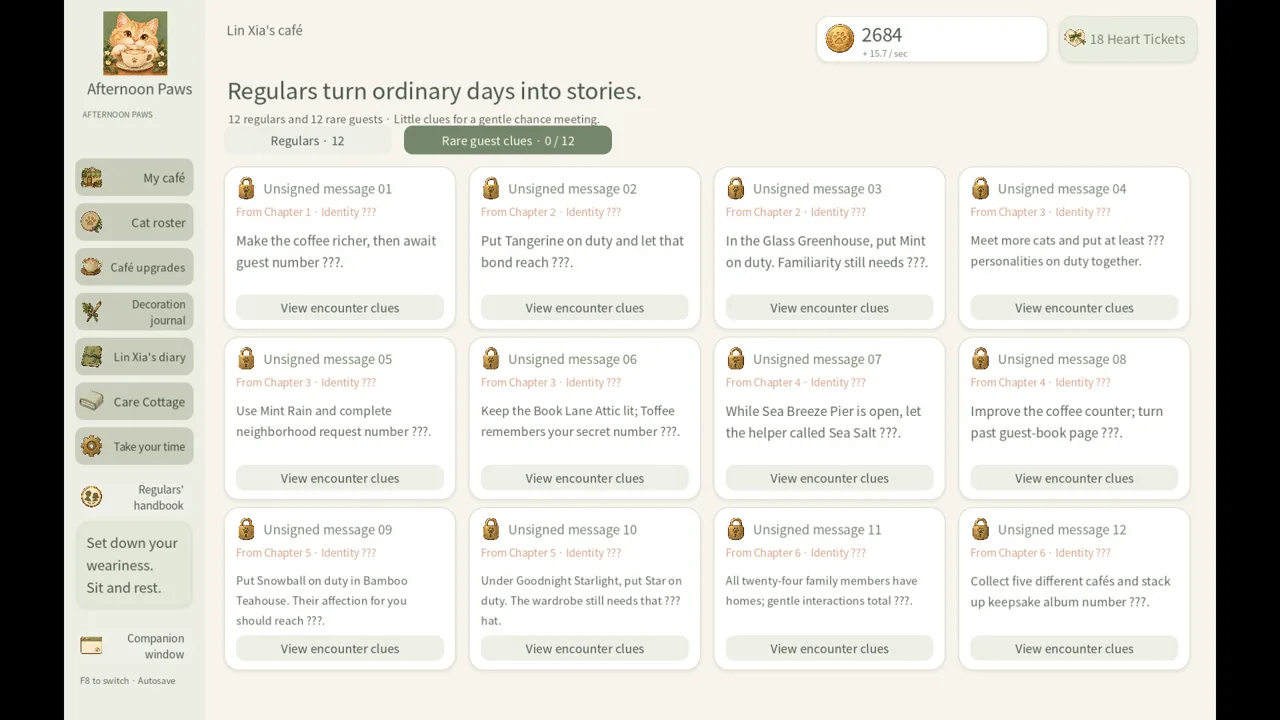 Image: Steam / Leon Studio
There is no native macOS or Linux version listed. If you use either operating system, the Windows specifications should not be read as confirmation that your setup is supported.
| Platform or device | Announced support |
|---|---|
| Windows 10, 64-bit | Included in the minimum OS requirements |
| Windows 11, 64-bit | Included in the minimum OS requirements |
| macOS | No native version listed |
| Linux | No native version listed |
| Steam Deck | Compatibility status not established by the available listing |
Steam Deck compatibility is a separate question from Windows PC compatibility. The available information does not establish verification status, controller suitability, or performance on the device. A Windows release announcement alone cannot settle those questions.
Can a laptop meet the requirements?
There is no separate laptop specification. Compare a laptop against the same operating system, processor, memory, graphics, storage, and input requirements used for a desktop.
The precise model matters more than the broad label “laptop” or “gaming laptop.” Before relying on either label, check the actual components and driver support.
For memory, the published minimum is 4 GB RAM. That figure concerns system memory; the listing does not provide a separate graphics memory requirement.
For storage, you need 2 GB of available space. Available space means room remaining on the drive, rather than the drive’s total capacity. The listing does not require an SSD or specify a drive speed.
What the companion window tells you
Afternoon Paws advertises an always-on-top companion window that lets you keep the cats visible while doing something else. That is a planned display feature, not a published resource-saving mode.
There are no separate CPU, RAM, or GPU requirements for the companion window. Its smaller appearance does not establish that it will reduce resource use, and no multitasking benchmark is provided.
If you intend to keep other applications open alongside the game, consider your computer’s overall workload when assessing whether the minimum memory figure suits your plans. The listing offers no additional RAM target for that use case.
The input notes require a mouse and keyboard. Although the store also lists a mouse-only option, that feature should not be treated as a replacement for the stated hardware requirements or as confirmation of controller support.
Recommended Specs: What Has Been Announced?
The recommended section of the Afternoon Paws system requirements is much less detailed than the minimum section. It states that a 64-bit processor and operating system are required, but supplies no additional component targets.
 Image: Steam / Leon Studio
That omission matters when comparing guides. A detailed “recommended build” would be an editorial proposal unless Leon Studio publishes those specifications.
| Recommended specification | Published detail |
|---|---|
| Processor architecture | 64-bit processor required |
| Operating system architecture | 64-bit operating system required |
| Specific CPU model or speed | Not provided |
| RAM target | Not provided |
| Graphics model or VRAM | Not provided |
| Storage target or drive type | Not provided |
There is no announced recommended RAM figure above the 4 GB minimum, no higher GPU tier, and no recommended SSD requirement. The sparse recommended section also does not establish that the minimum configuration is suitable for every display resolution or multitasking setup.
For a buying decision, separate the questions you can answer from those you cannot. You can check whether your existing PC meets the published minimums. You cannot use this listing to identify a developer-endorsed upgrade configuration or predict a specific performance gain.
A good approach is to avoid choosing new hardware solely around an invented recommended specification. If performance is central to your purchase, look for any expanded requirements or credible benchmarks once the game becomes available.
The current Afternoon Paws system requirements are useful for screening compatibility. Their practical limit is that they provide little guidance about performance beyond that baseline.
Release Date and Your Prelaunch Checklist
Afternoon Paws is listed for a planned October 11, 2026 release on Steam. The game remains unreleased in the available announcement, and the date does not include an exact launch hour.
That distinction matters if you are planning around availability. A calendar date does not establish a precise unlock time in your time zone.
| Release detail | Announced information |
|---|---|
| Planned release date | October 11, 2026 |
| Announced platform | Windows |
| Developer | Leon Studio |
| Publisher | Leon Studio |
| Demo | No demo listed |
| Preorder or preregistration | No offer shown |
| Exact launch time | Not provided |
You can view Afternoon Paws on Steam. No preorder or preregistration offer is shown in the current listing.
The store also includes a gameplay trailer and screenshots. These can help you assess the advertised café presentation and visual style, but they are not benchmarks for your own hardware. Trailer playback on your computer does not demonstrate that the game itself will meet a particular performance target.
Before release, a useful compatibility checklist is:
- Compare your Windows version and architecture with the stated OS requirements.
- Verify your CPU’s core count, x64 architecture, and SSE4.2 support.
- Check OpenGL 3.3 support for your graphics hardware and installed driver.
- Confirm that your computer has at least 4 GB RAM and 2 GB available storage.
- Check your input devices and the recommended display resolution.
Finally, revisit the store listing before downloading or making a purchase decision. Prerelease specifications describe the announced requirements and may be revised. No price, demo availability, or exact launch hour should be inferred from the planned release date.
FAQ
What are the minimum Afternoon Paws system requirements?
The listed minimums are 64-bit Windows 10 or Windows 11, a dual-core x64 processor supporting SSE4.2, 4 GB RAM, OpenGL 3.3-compatible graphics with compatible drivers, and 2 GB available storage. A Windows-compatible audio device, mouse, and keyboard are required. A resolution of 1280 × 800 or higher is recommended.
Does Afternoon Paws require a dedicated graphics card?
The listing does not explicitly require dedicated graphics. It requires OpenGL 3.3-compatible graphics hardware and compatible drivers. Check your specific GPU and driver rather than assuming that all integrated graphics qualify or that dedicated graphics are mandatory.
Can I play Afternoon Paws on Mac, Linux, or Steam Deck?
Windows is the announced platform. No native Mac or Linux release is listed, and Steam Deck compatibility is not established by the available information. The Windows requirements do not confirm compatibility through alternative operating systems or compatibility software.
When does Afternoon Paws release, and is there a demo?
The planned Steam release date is October 11, 2026, with no exact launch time provided. No demo is listed, and no preorder or preregistration offer is shown. The listing names Leon Studio as both developer and publisher.
Continue with
 Afternoon Paws trailer and screenshots: Launch GuideExplore Afternoon Paws trailer and screenshots, view the Steam gallery, and check the planned release date, Windows requirements, and wishlist details.
More in Release hub
Afternoon Paws developer and publisher: Leon Studio
Afternoon Paws developer and publisher Leon Studio plans an October 11, 2026 Steam release for Windows. Explore studio credits, PC requirements, and media.

Afternoon Paws FAQ: Release Date, Platforms, and Specs
Afternoon Paws FAQ covers the planned release date, Windows requirements, Steam store page, and advertised features. See what to know before launch day.
Afternoon Paws platforms and wishlist: PC Release Guide
Afternoon Paws platforms and wishlist details: check Windows support, PC requirements, the planned release date, and how to follow this game on Steam.

Afternoon Paws release date countdown: Launch Guide
Afternoon Paws release date countdown: check the October 11, 2026 Steam date, Windows requirements, and wishlist details before the cozy cat café opens.
Join the community
Official channels for news, updates and player help: