Afternoon Paws Controls: Mouse Play and Cat Care Guide
Learn Afternoon Paws controls for mouse-only play, cat care, feeding, and companion mode. Plan a café routine around grooming, meals, and photo keepsakes.
Jump to
How Do Afternoon Paws Controls Work?
Afternoon Paws controls support mouse-only play, letting you settle into café management and cat care at a relaxed pace. Learning how feeding, grooming, and companion mode fit together helps you spend your attention where you want it. With Afternoon Paws controls, you can play without quick-time events while building a café full of cats with distinct personalities.
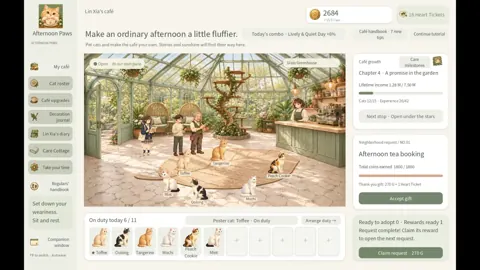
Your main activities revolve around managing the café, caring for individual cats, and choosing how to spend your resources. You put cats on duty, upgrade facilities, select their food, and make room for quieter activities such as grooming and taking keepsake photos.
These features shape how you can approach a session:
| Feature | What it lets you do |
|---|---|
| Mouse-only option | Play using a mouse |
| Playable without quick-time events | Enjoy gameplay without timed button sequences |
| Save anytime | Save when you need to stop |
| Custom volume controls | Adjust the audio |
| Companion window | Keep a small, always-on-top view alongside other activities |
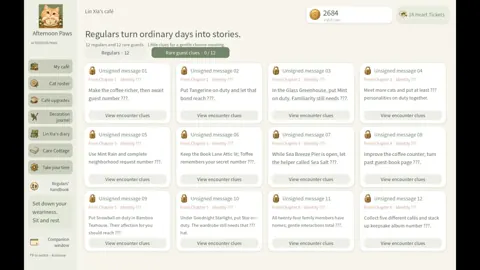
Start by separating café tasks from individual cat care. Putting cats on duty supports your income, while accessories, grooming, and bond stories give you reasons to spend time with particular companions. You do not need to turn every visit into a long management session.
Use the save-anytime feature before wrapping up, and adjust the volume to suit your workspace. For quieter company while working or studying, switch to the companion window.
Afternoon Paws is planned for an October 2026 release on Windows. Its system requirements list Windows 10 or Windows 11, a mouse and keyboard, and a recommended display resolution of at least 1280 × 800. You can wishlist Afternoon Paws on Steam for a release notification.
Manage Your Café and Choose Your Cats
You begin alongside café owner Lin Xia with a small shop and two cats. From there, the collection grows toward 24 cats, with nine main story chapters unfolding as the café develops.
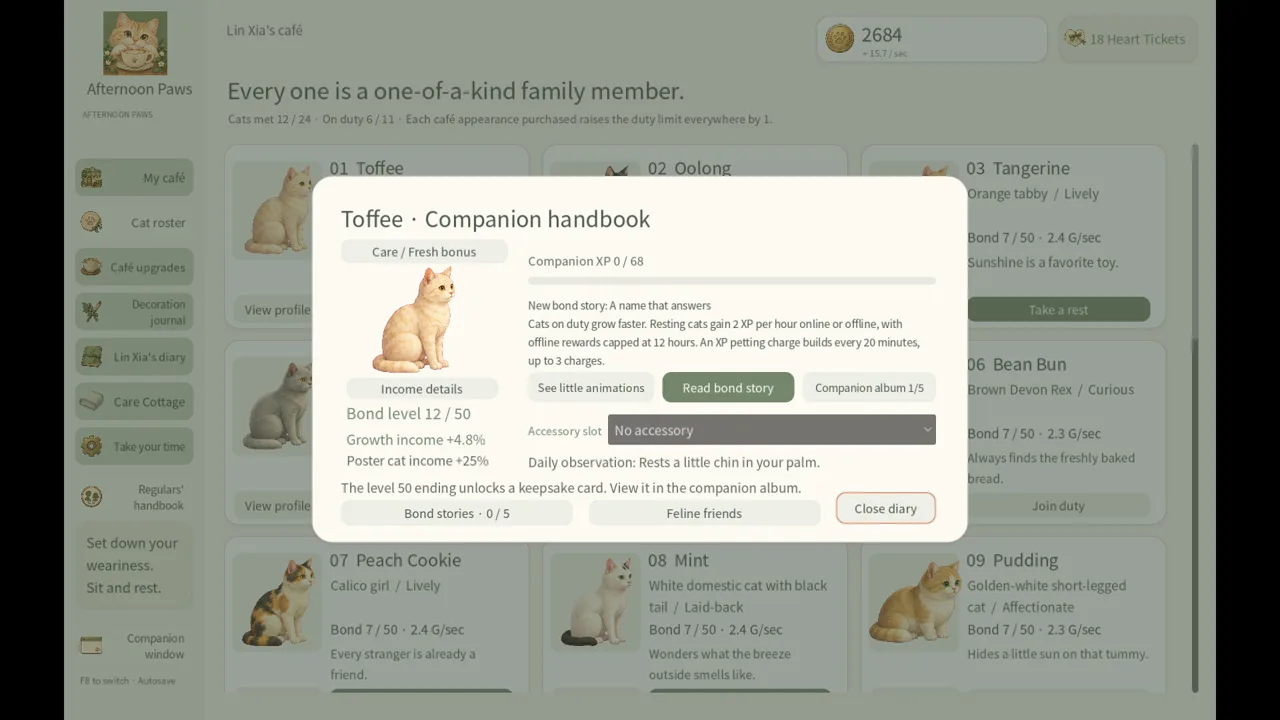 Image: Steam / Leon Studio
The useful distinction is between base income and the bonuses you build around it. Every cat begins with the same base income. Growth, your poster cat, café upgrades, story progress, and daily rotating personality combinations provide additional ways to develop the business.
Choose cats you enjoy spending time with. Equal starting income gives you room to follow their personalities rather than choosing solely by earnings.
Build a Manageable Routine
Use this checklist to organize your visits:
- Put your cats on duty so the café earns coins.
- Review requests and your progress toward adopting another cat.
- Check food stock and the menus assigned to your cats.
- Spend time on accessories, relationships, or story progress.
- Collect offline earnings when returning after time away.
Offline earnings have a time limit. Plan around that limit rather than assuming an extended absence will produce unlimited coins.
As you learn Afternoon Paws controls, keep track of which activity you are pursuing. Dressing a cat, choosing a poster cat, and using an interaction item serve different purposes. Accessories let you personalize companions, your poster cat contributes to café growth, and interaction items bring two cats together.
Give Relationships Room to Develop
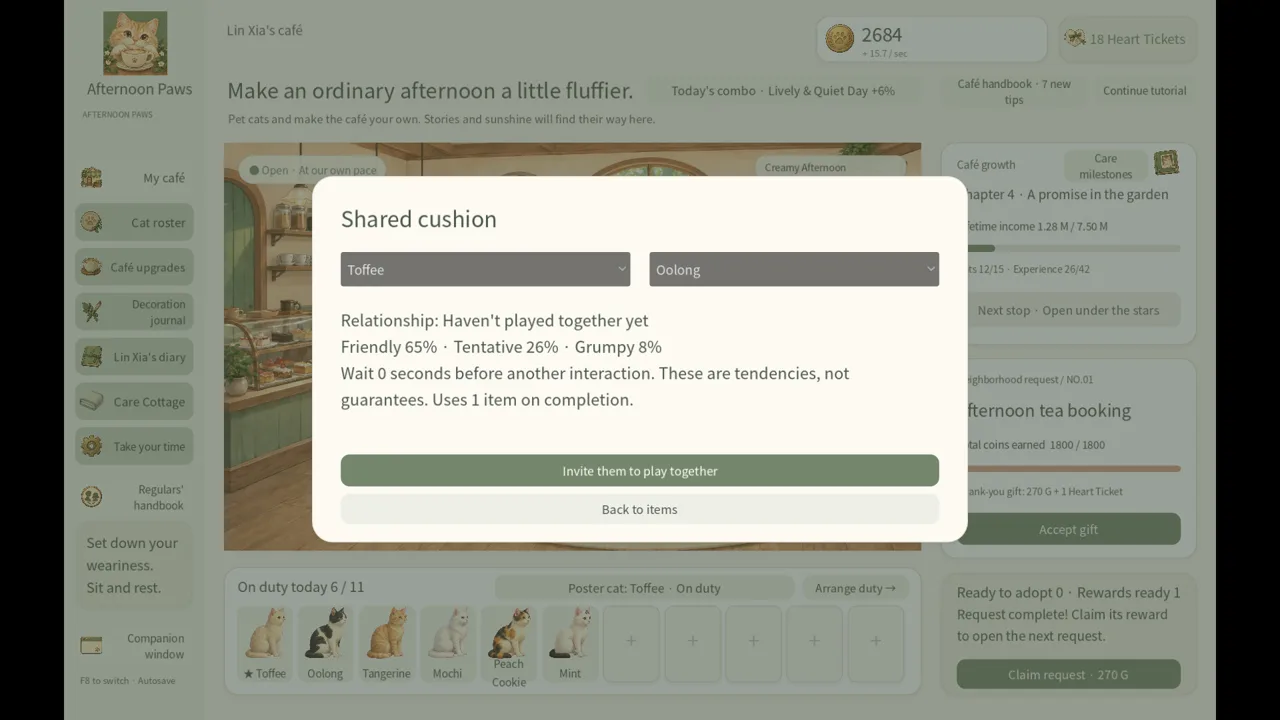
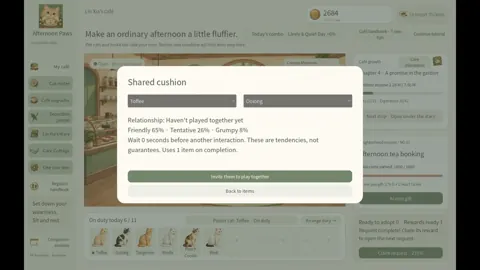
Cats wander, rest, and approach one another. Their personalities and existing relationships influence those meetings, which can involve mutual grooming, kneading, or a disagreement.
Use interaction items when you want to bring a particular pair together. Then watch the encounter rather than assuming every meeting produces the same response.
Individual companionship has its own milestones, too. You can earn Companion XP and explore five stages of bond stories. Follow a favorite cat’s story alongside your café goals to give each session a personal focus.
Follow the Five-Step Grooming Routine
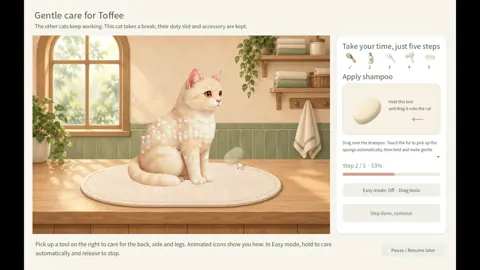
The Care Cottage opens in Chapter 2, adding a structured grooming activity to your café routine. Afternoon Paws controls support a care sequence built around five steps, from wetting the fur to brushing it afterward.
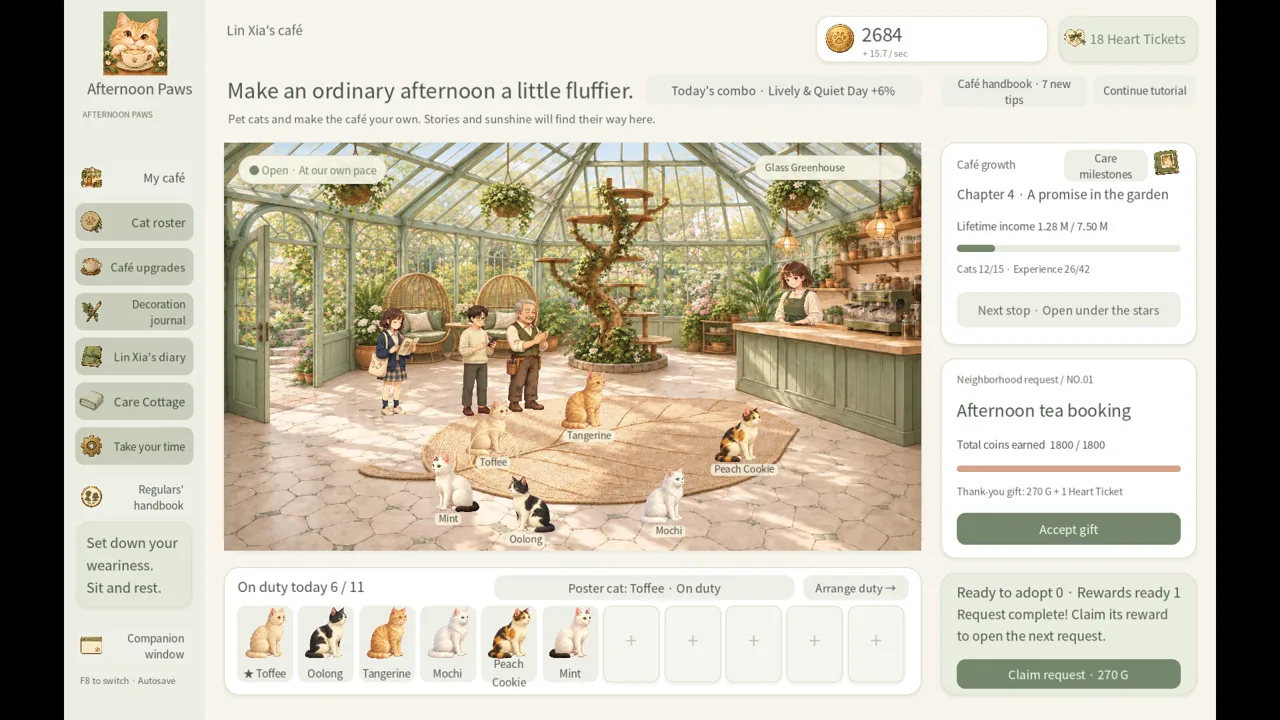 Image: Steam / Leon Studio
Follow the sequence in this order:
| Step | Grooming action |
|---|---|
| 1 | Wet the fur |
| 2 | Apply shampoo |
| 3 | Rinse |
| 4 | Dry |
| 5 | Brush |
Use that order as your checklist when learning the activity. Think of it as a complete care session: prepare the fur, wash it, remove the shampoo, dry it, and finish with brushing.
Keep the Chapter 2 requirement in mind when planning your early sessions. Before reaching that chapter, concentrate on the café activities already available, including putting cats on duty and developing the shop.
Once the Care Cottage opens, make grooming a separate stop during your visit. Handle your café decisions, then spend time with a cat without mixing the two activities in your head.
The absence of quick-time events fits this slower style of play. Take your time learning the care routine instead of treating it like a timed challenge.
Grooming also sits within a broader collection of cat-focused activities. Between care sessions, you can select accessories, follow bond stories, and look through albums and keepsake cards. Choose one of those goals when you want a break from managing facilities or food supplies.
For a short session, focus on a single care activity. For a longer visit, pair grooming with a bond story or a look through the moments you have collected.
Set Food Menus and Track What Cats Consume
Feeding gives you several concrete management decisions: buy and upgrade bowls, restock food with coins, and choose menus. You can assign food to an individual cat or set a menu for everyone.
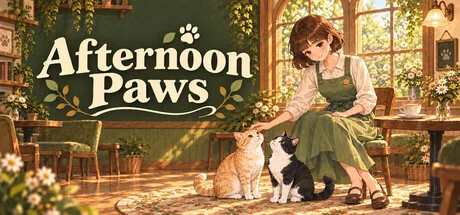 Image: Steam / Leon Studio
Food unlocks through the main story:
| Complete this chapter | Food unlocked |
|---|---|
| Chapter 3 | Kibble |
| Chapter 4 | Catnip |
| Chapter 5 | Creamy treats |
| Chapter 6 | Canned food |
Use the shared menu option when you want to make a café-wide choice. Choose individual menus when you want to manage cats separately. Both options are part of the feeding system, so organize them around how much attention you want to give each companion.
Upgrade Bowls for Longer Meal Intervals
Food bowls have five upgrade levels. Across those upgrades, a cat’s mealtime interval extends from 15 minutes to 30 minutes.
Include bowl upgrades in your café planning if you want longer intervals between meals. Keep that decision separate from food selection: the bowl affects the interval, while eating food grants temporary income and growth bonuses.
Running out of food pauses those bonuses. Base income continues, so an empty supply does not shut down your café’s underlying earnings.
When reviewing Afternoon Paws controls for feeding, focus on three choices: the assigned menu, available stock, and bowl upgrades. Those decisions determine what you are providing and how the feeding routine fits into your visits.
Count Meals Eaten, Not Food Purchased
Creamy treats and canned food also contribute toward Heart Tickets:
- Every 350 creamy treats consumed earns one Heart Ticket.
- Every 50 cans consumed earns one Heart Ticket.
- Each food has a separate consumption counter.
Track actual consumption when planning for tickets. Buying food is only the stocking step; cats must eat it for that food’s counter to advance.
Offline meals depend on both available stock and the offline time limit. Restock before stepping away if you want food available during that period, and remember that a longer absence does not remove those limits.
Use Companion Mode, Invitations, and Photo Keepsakes
The companion window gives you another way to spend time with your cats. It is small and stays on top of other windows, letting you keep them nearby while you work on something else.
Switch to it when you want a quieter presence on your desktop. Return to your café activities when you want to manage food, follow stories, or work toward another collection goal.
Afternoon Paws controls also cover choices around Heart Tickets, guest invitations, and photo keepsakes. These activities give your feeding milestones somewhere to go beyond temporary food bonuses.
| Heart Ticket use | What it provides | Relevant condition |
|---|---|---|
| Two-cat interaction gift | A friendly encounter between two cats | Uses Heart Tickets |
| Rare guest invitation | Another visit from a rare guest | Meet that guest naturally first |
| Themed photo backdrop rental | A setting for keepsake photos | Lasts 24 hours without automatic renewal |
Meet Guests Before Planning Invitations
The café has 12 regular guests and 12 rare guests. Rare visitors arrive when particular conditions are met, and clues help guide your collection.
Follow those clues as you develop the café. An invitation lets you bring back a rare guest you have already encountered naturally, so work on meeting them before planning a return visit.
Guest collections include visit records and messages. A guest who plays with a cat can even mention that companion in a note, adding another reason to pay attention to their interactions.
Plan Photos Around the Rental Period
A themed backdrop rental lasts 24 hours and does not renew automatically. Arrange your photo plans around that window, especially when you want to include guests visiting through an invitation.
Keepsake cards remain in your album after the backdrop rental ends. You can also export them as PNG images.
Use the album to revisit those moments, and export the cards you want to keep outside the game. The rental governs access to the backdrop; your completed keepsakes stay with you afterward.
As your café grows, five visual themes offer different surroundings, including greenhouse, book-filled, seaside, and bamboo settings alongside the original café. Choose decorations and furnishings as they unlock, then let your favorite cats and collected moments give the space its character.
FAQ
Can I use Afternoon Paws controls with only a mouse?
Yes. Afternoon Paws includes a mouse-only play option and is playable without quick-time events. Its Windows system requirements also list a mouse and keyboard.
When does grooming unlock?
The Care Cottage opens in Chapter 2. Grooming follows five steps: wet the fur, apply shampoo, rinse, dry, and brush. Follow that sequence when working through a care session.
What happens if my cats run out of food?
Their temporary food bonuses pause, but base income continues. Restock with coins to provide more food. Heart Ticket progress from creamy treats and canned food depends on actual consumption, with separate counters for each.
How do Afternoon Paws controls support playing alongside other work?
You can switch to a small, always-on-top companion window to keep your cats nearby. The game also includes custom volume controls and a save-anytime feature, letting you adjust the sound and stop when needed.
Continue with
 Afternoon Paws FAQ: Release Date, Platforms, and SpecsAfternoon Paws FAQ covers the planned release date, Windows requirements, Steam store page, and advertised features. See what to know before launch day.
More in Guide
See all Guide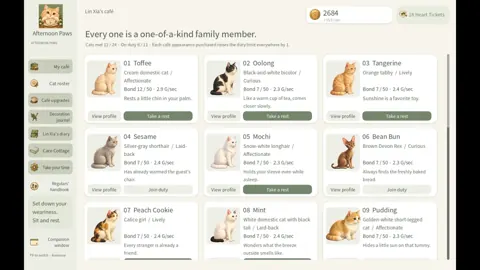
Popular pages
Afternoon Paws Cat Personalities: Roster & Bond Guide
Explore Afternoon Paws cat personalities, build daily bonus rosters, grow bonds, and guide cat friendships across your cozy café's 24 feline companions.
Afternoon Paws Dressing Cats: Accessories and Care Guide
Afternoon Paws dressing cats guide: learn accessory achievement goals, plan three matching looks, and fit grooming, bonds, and photos into a café routine.
Afternoon Paws Bowl Upgrades: Feeding and Food Guide
Master Afternoon Paws bowl upgrades with food unlocks, feeding intervals, Heart Ticket requirements, and practical tips for managing the café's food stock.
Afternoon Paws Release Date Countdown: Out Now on PC
The Afternoon Paws release date countdown is over. Explore the October 19 launch, Windows requirements, cat café features, and tips for your opening day.
Join the community
Official channels for news, updates and player help: